
Guidance
AI Guardrails for Ministry: Boundaries Every Church Should Set
A guardrail isn't a restriction. It's a definition of what the tool is actually for. Seven boundaries every church should set before turning AI on.
In Should Churches Use AI? we made the case for churches that land on yes — then closed with a short list of guardrails and moved on. That's not good enough. A bullet point titled "write explicit boundaries" isn't actually a boundary until someone decides what it says. If your church already has some form of AI running without any of this written down, start here.
AI guardrails for churches are the specific boundaries a church sets before turning on a guide — what it can answer, what it should never touch, who reviews it, and who owns it. This is your church's AI policy, and it takes seven short, deliberate decisions to write. Here's what each one actually does, in plain terms.
A guardrail isn't a restriction
It's easy to hear "guardrail" and think limitation — the thing that stops a tool from being useful. That's backwards. A guardrail is what turns a general-purpose AI into a guide that's actually yours.
Without guardrails, you don't have a cautious AI system. You have an unpredictable one that happens to work most of the time.
Here's what each guardrail actually does, and why skipping it is riskier than it looks.
The seven guardrails every church should set
Answer these seven, in order, before your guide goes live. Skipping one doesn't make the tool safer by default — it just means the tool decides for you, in the moment, with no one watching.
1. Ground it in your own teaching

An AI system pulling from the open internet will give theologically confident answers that have nothing to do with what your church actually teaches. Ask it about baptism, eternal security, or the role of elders, and it averages across everything it's ever read — which means it will occasionally hand your congregation an answer that's fluent, confident, and simply not yours.
Grounding means your guide only answers from your own content — your sermons, your statement of faith, your ministry documents, the things your church has actually said. When a question falls outside that, the honest answer is "I don't have your church's teaching on this," not an improvised one.
This single decision shapes almost everything else about whether the guide can be trusted.
2. Require citations
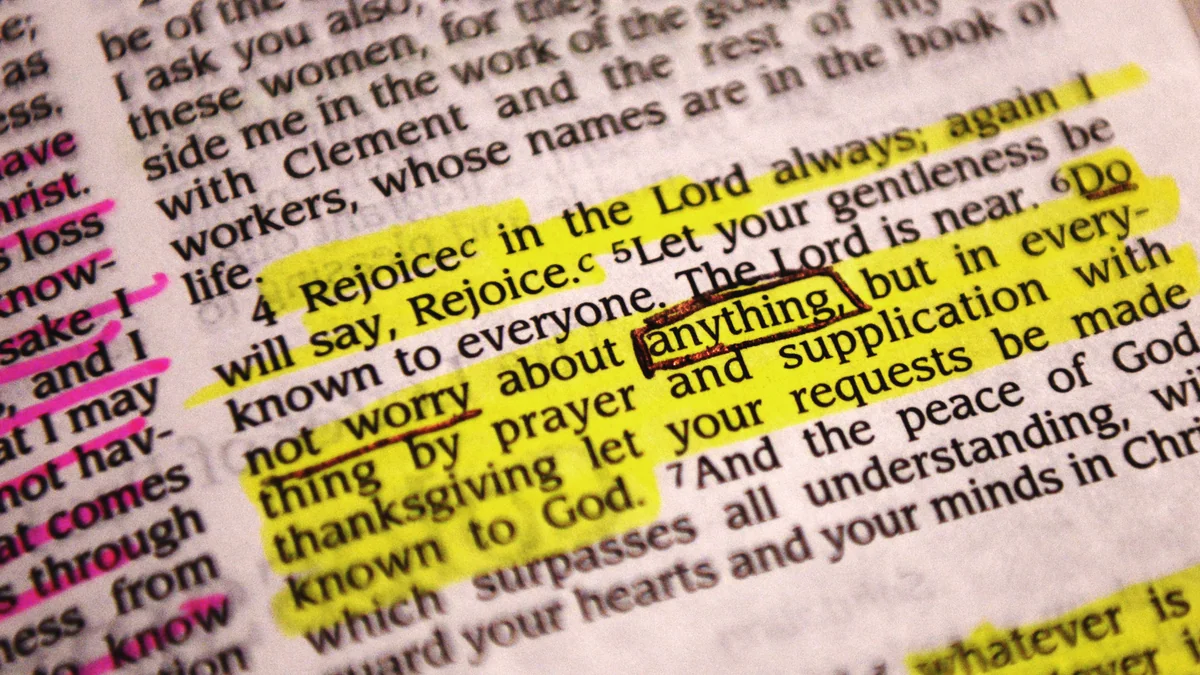
Every answer should trace back to something your church actually said, so anyone — a member, a staff person, you — can check it. Think of it as the Berean instinct (Acts 17:11) built into software: examine what's said against the source, every time, not just when something feels off.
Citations do something else, too. They make the guide self-correcting. If an answer cites a sermon from three years ago that no longer reflects current teaching, that becomes visible right away instead of sitting hidden inside a black box.
3. Write explicit boundaries

Four categories should be hard stops, configured in advance rather than left to judgment in the moment: preaching, crisis care, spiritual authority, and confession.
Your boundaries should go further than that universal list, though. Every church has its own distinctives — places where "generally Christian" isn't the same as what your specific church teaches. Your view on baptism. Your position on a controversial cultural question. Your denomination's particular practices. Decide in advance whether your guide should address these directly, point to a person, or say nothing at all. Don't find out where the gap is when a member does.
4. Review conversations weekly, at least at first

This is the guardrail churches skip most often, usually because it sounds like busywork. It isn't. Reading what people actually asked, and what they were told, is the fastest way to catch a wrong answer before the tenth person gets it.
It also turns out to be one of the best congregational listening tools a church will have. The questions people ask an anonymous guide at 11pm tend to be more honest than the ones they'll ask a person over coffee.
5. Set a fast escalation trigger

Crisis language should route to a human immediately, not after one more attempt to be helpful. Worth saying plainly, because the natural design instinct runs the other way: make the guide try harder before it gives up. In ministry, that instinct is backwards. The guide should be looking for the reason to hand off, not the reason to keep going.
Define the trigger words and situations in advance with someone who has pastoral care experience, not just technical staff. Grief language, self-harm language, abuse disclosure — these need a fast, obvious exit to a real person every time, no exceptions.
6. Tell your congregation
Announce it. Say plainly what it is, what it isn't, and who to talk to instead. A tool introduced openly gets used honestly. A tool people stumble onto without explanation gets treated with suspicion it may not deserve, or trust it hasn't earned yet.
This is a transparency question as much as a communications one. If someone doesn't know they're talking to a guide, that's a problem no matter how good the answer was.
7. Assign an owner

One named person should be accountable for what your guide says — not "the tech team" in the abstract, but a specific staff member with the authority to read conversations, correct wrong answers, and adjust the boundaries.
James's warning that those who teach will be judged more strictly (James 3:1) doesn't stop applying just because the sentence was generated instead of spoken. Someone has to hold that.
What a one-page policy actually looks like
You don't need a lengthy document. You need seven short answers, written down and agreed on before your guide goes live:

| # | Guardrail | The question to answer |
|---|---|---|
| 1 | Grounding | What sources is it grounded in? |
| 2 | Citations | Does every answer trace back to something your church said? |
| 3 | Boundaries | What topics does it never address, and what are your distinctives? |
| 4 | Review | Who reviews conversations, and how often? |
| 5 | Escalation | What triggers an immediate handoff to a person? |
| 6 | Transparency | How and when will you announce it to the congregation? |
| 7 | Ownership | Who owns it? |
Answer those seven and you have a real policy — not a document nobody reads, but the actual operating boundaries of the guide. That's what responsible AI in ministry looks like in practice: seven decisions, not a slogan.
Bonfire's defaults, and what's still yours to decide
Bonfire's defaults are built around this exact list — grounded answers, required citations, configurable boundaries, and a fast handoff to your team. Defaults only get you most of the way, though. The distinctives are yours to set, and no guide can do that part for you.
See how Bonfire grounds every answer in your content, check plans built for churches, or start free and write your church's version of this list in the first hour.
Start freeFrequently asked questions
Frequently asked questions
What sources should our AI guide be grounded in?
Your sermons, your statement of faith, and your ministry documents — not the open internet. When a question falls outside what your church has actually taught, the honest answer is "I don't have your church's teaching on this," never an improvised one built from averaging across everything the internet has ever said on the topic.
What topics should an AI guide never address?
Preaching, crisis care, spiritual authority, and confession. Configure these four as hard stops rather than leaving them to the guide's judgment in the moment. Beyond that universal list, name your own church's distinctives — your view on baptism, a controversial cultural question — and decide in advance whether to answer, defer to a person, or stay silent.
What are our church's specific distinctives, and should the guide address them?
Every church has positions that go beyond "generally Christian" — your denomination's practices, your stance on a particular issue. Decide ahead of time whether your guide should answer these directly, point to a staff member, or say nothing at all. Find that gap in a planning meeting, not when a member finds it first.
Who should review conversations, and how often?
At least weekly, especially in the first few months. Reading what people actually asked, and what they were told, is the fastest way to catch a wrong answer before the tenth person hears it. It also doubles as one of the most honest listening tools a church will have.
What should trigger an immediate handoff to a person?
Grief language, self-harm language, and abuse disclosure need a fast, obvious exit to a real person every time, no exception. Define the exact trigger words and situations in advance with someone who has pastoral care experience, not just technical staff — the guide should look for the reason to hand off, not the reason to keep trying.
Do we need to tell the congregation we're using AI?
Yes. Announce what it is, what it isn't, and who to talk to instead. A tool introduced openly gets used honestly. A tool people stumble onto unannounced gets treated with suspicion it may not deserve, or trust it hasn't earned yet — and nobody should be talking to a guide without knowing it.
Who owns the guide once it's live?
One named person, not "the tech team" in the abstract. Someone with the authority to read conversations, correct wrong answers, and adjust the boundaries. The responsibility of teaching doesn't stop applying just because the words were generated instead of spoken.
Your wisdom deserves to keep working.
Start free. Go live in under an hour. Let your content serve your people 24/7.
Start free